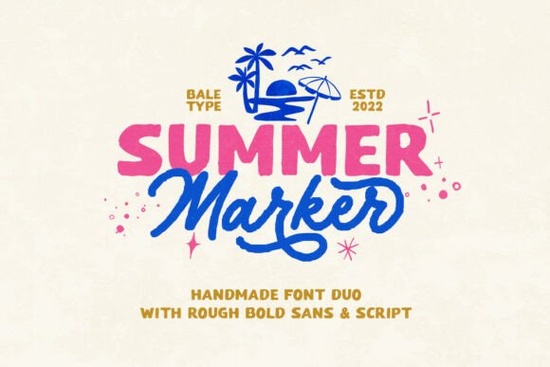
If you're looking for a relaxed, hand-drawn font that feels warm and summery without being overly playful or childish, the Summer Marker Font is a thoughtful choice. It’s not just one font it’s a carefully paired duo: a bold, slightly uneven sans-serif and a flowing monoline script. Both share that authentic, handmade texture like something sketched with a chisel-tip marker on textured paper. That roughness isn’t accidental; it’s intentional craftsmanship, designed to bring organic warmth to digital projects. Whether you’re designing a small-batch sticker sheet, refreshing your café’s seasonal menu, or building a cohesive brand identity for a handmade soap line, this font set fits naturally.
What makes Summer Marker different from other “handwritten” fonts?
Many script fonts try too hard to mimic calligraphy or worse, feel stiff and over-digitized. Summer Marker Font avoids both traps. The script isn’t swirly or formal it’s smooth but grounded, with gentle inconsistencies in stroke weight and spacing that make it feel genuinely human. The sans-serif companion isn’t a generic bold; it has subtle irregularities at the corners and terminals, like ink that bled just a little on cheap newsprint. Together, they balance contrast and cohesion perfect for pairing headlines with quotes or logos with taglines.
Where does it work best in real projects?
This font shines where authenticity matters more than polish. Think: craft fair signage, eco-friendly product labels, summer camp newsletters, or Instagram quote graphics for wellness coaches. Because it supports multiple languages including extended Latin characters it’s practical for small businesses serving diverse communities, not just decorative flair. You’ll also find it holds up well in print-on-demand contexts: it scales cleanly on mugs, tote bags, and greeting cards without losing its tactile charm. Unlike some retro fonts that lean too heavily into 70s psychedelia or 90s grunge, Summer Marker stays light, friendly, and seasonally flexible it reads as “summer,” not “July 4th only.”
How does it compare to other popular Creative Fabrica fonts?
If you already own or use Perfect Lemonade Font, you’ll notice Summer Marker takes a slightly more grounded, less bubbly approach ideal when you want warmth without whimsy. For makers who love the cozy cottagecore vibe of Bird House Font, Summer Marker offers a sunnier, more active energy less storybook, more sidewalk chalk art. All three are versatile sans + script combos, but each carries its own emotional tone. Choosing between them often comes down to the feeling you want your audience to walk away with: nostalgic calm, cheerful simplicity, or breezy spontaneity.
Technical notes designers will appreciate
- File formats: Includes OTF, TTF, and WOFF (web-ready), so it works across design apps, Cricut Design Space, Silhouette Studio, and basic web use.
- Licensing: One-time purchase covers personal and commercial use including POD platforms like Redbubble, Etsy, and Printful with no ongoing fees or attribution required.
- Language support: Covers Western, Central, and South European languages (including French, Spanish, German, Polish, Turkish, and more), plus basic diacritics for common loanwords.
- No extra software needed: Works natively in Adobe apps, Affinity, Canva (via upload), and even Google Docs with third-party extensions.
One thing to keep in mind: because of its organic texture, Summer Marker performs best at medium to large sizes think 24pt and up for body text, and 48pt+ for headlines or display use. At very small sizes (under 14pt), some details in the script may blur or lose clarity, especially on low-res screens. That’s not a flaw it’s a feature of its handmade nature. If you need crisp small text, pair it with a clean supporting font (like its own sans-serif companion) rather than forcing the script into tight spaces.
For crafters using cutting machines, the monoline script cuts cleanly at 1.5mm+ stroke width, and the bold sans handles weeding well on vinyl thanks to its open counters and generous spacing. Test-cut a few letters first on your preferred material especially if using textured or heat-transfer vinyl just to confirm alignment and pressure settings.
Before you download or license: Try sketching out a quick mockup maybe a simple sticker phrase like “Sunshine & Snacks” or a logo lockup for a lemonade stand brand. See how the two weights interact. Does the rhythm feel right? Does it match the voice of your project? Fonts are tools, not magic and the best ones quietly support your idea instead of shouting over it.
Next step: Open your design app, import both files, and type out three short phrases one in the script, one in the bold sans, and one using both together. Adjust letter spacing by eye, not by default settings. Notice where the texture adds character, and where tighter spacing helps legibility. That’s how you start building real familiarity not just installing a font, but learning how it breathes on the page.
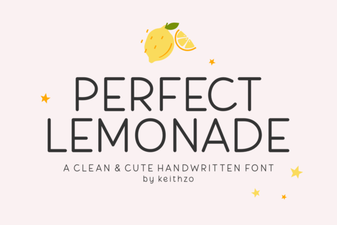 The Perfect Lemonade Font: Design & Download
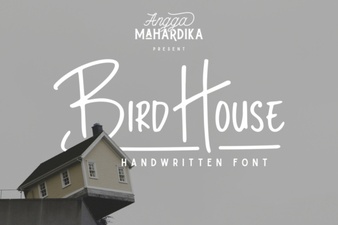 Crafting Unique Signs with Bird House Fonts
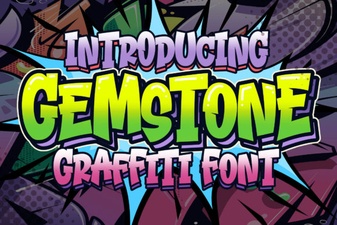 Gemstone Fonts for Elegant & Creative Designs
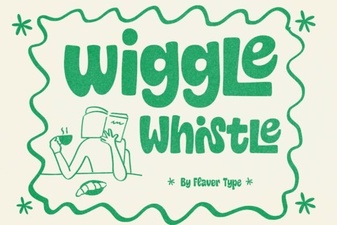 The Wiggle Whistle Font: Creative Ideas & Usability
 Download Pokenom Font: Creative Typography Projects
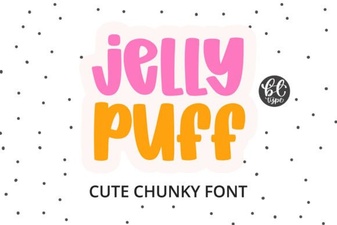 Jelly Puff Font: a Fun & Playful Design Resource